
Temps de lecture 7 min
Publish your videos wherever you are
This was our commitment during last May’s crowdfunding campaign : to add a « creator mode » to the PeerTube app so you can upload your videos wherever you are, directly from your smartphone !
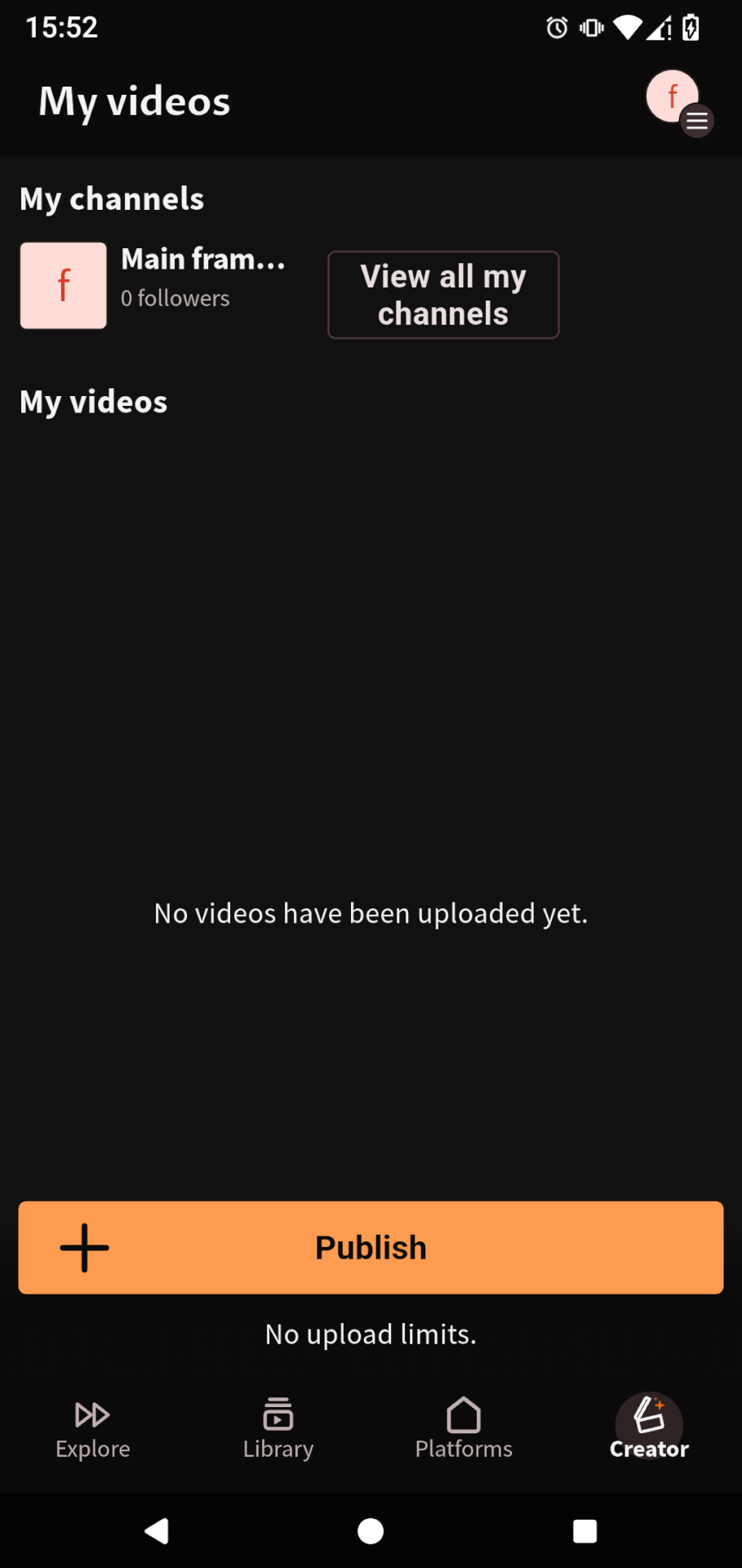
You will now find a « Creator » page in the app. From there, you can manage your channels and videos !
-
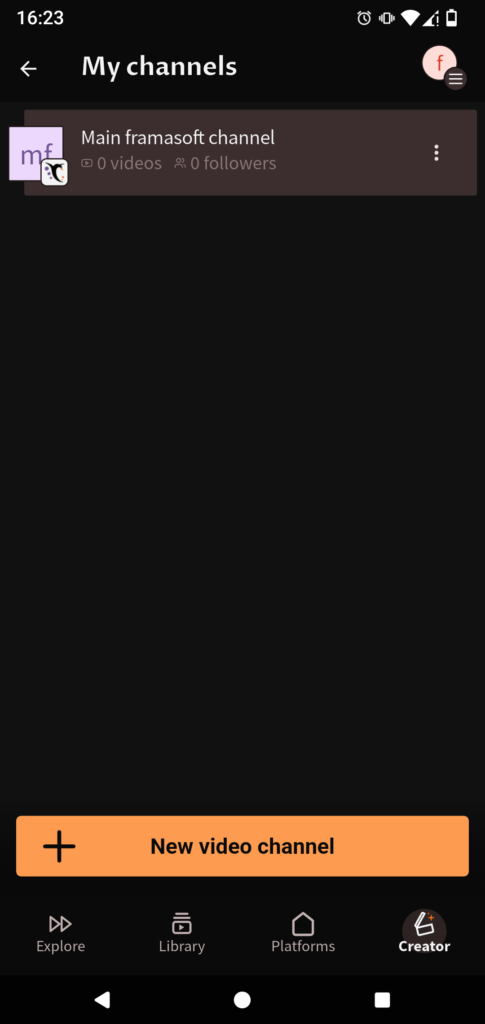
- The page « My channels ».
-
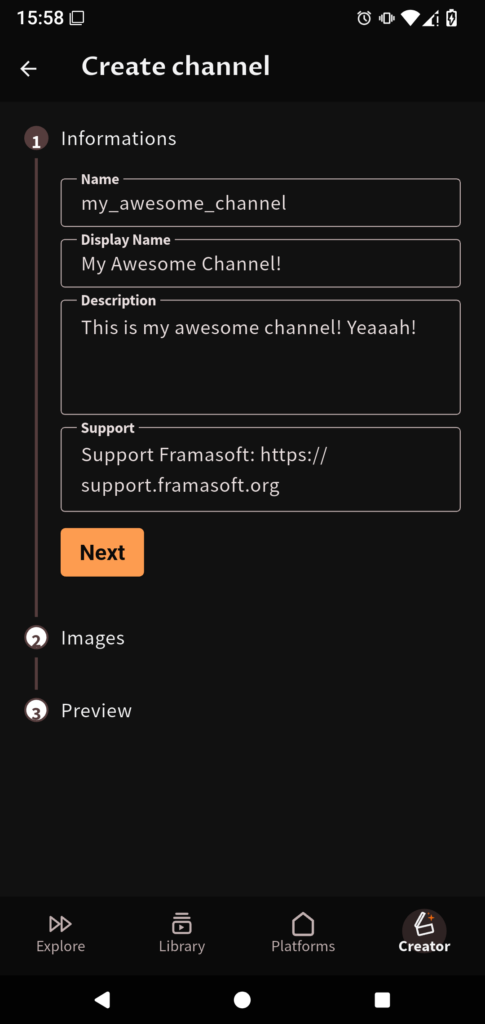
- The page to add a new channel.
In the middle of the page is a list of all your videos. Each video has a menu that allows you to perform actions on it. From there, you can edit the video information, download the video, add it to a playlist, or delete it.
Finally, at the bottom of the page, you will find the « Publish » button, which allows you to… publish a new video. (Which is surprising, indeed !
When you click on it, a menu will pop, allowing you to choose a file from your phone or record a new video directly through the app.
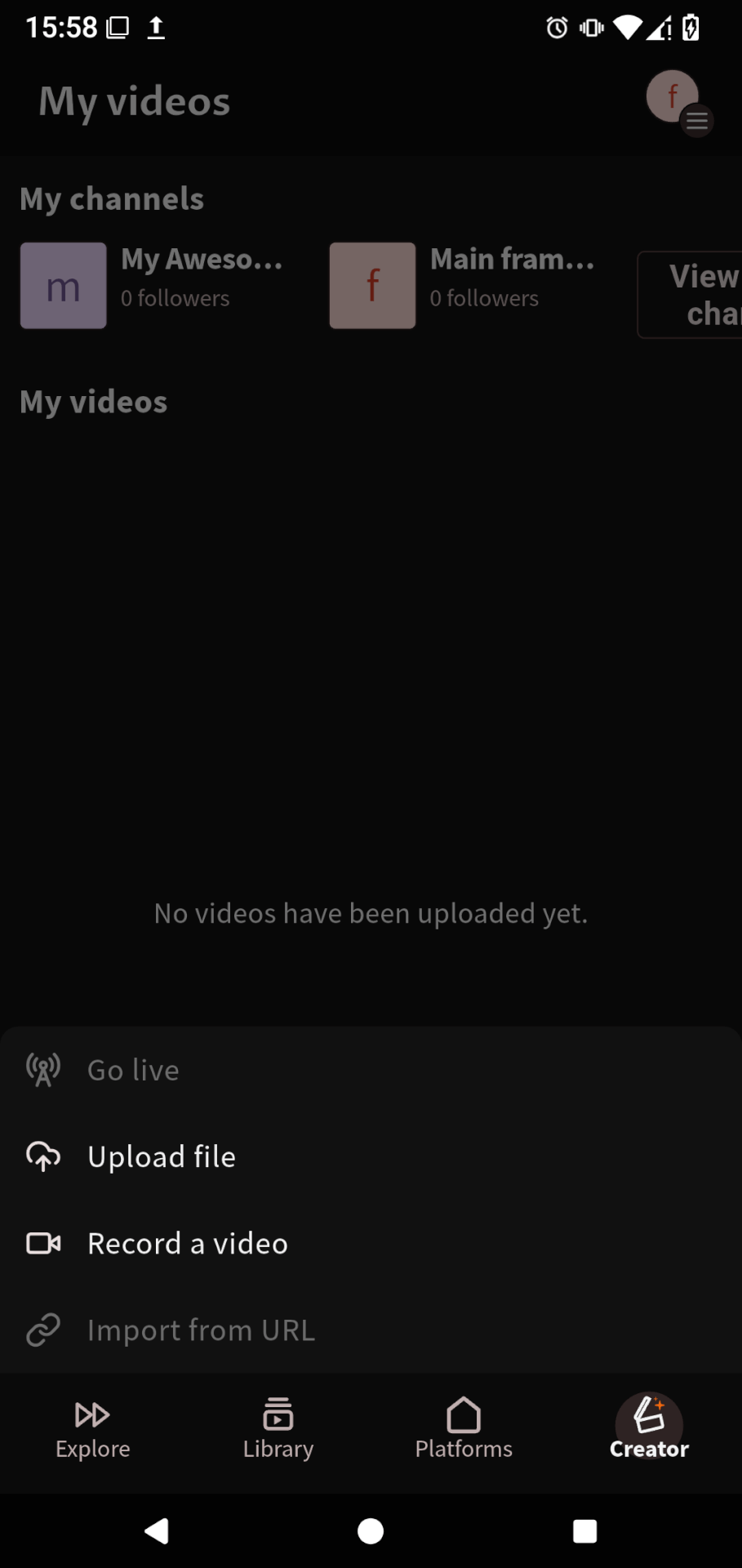
After selecting the video, you will be able to preview its content.
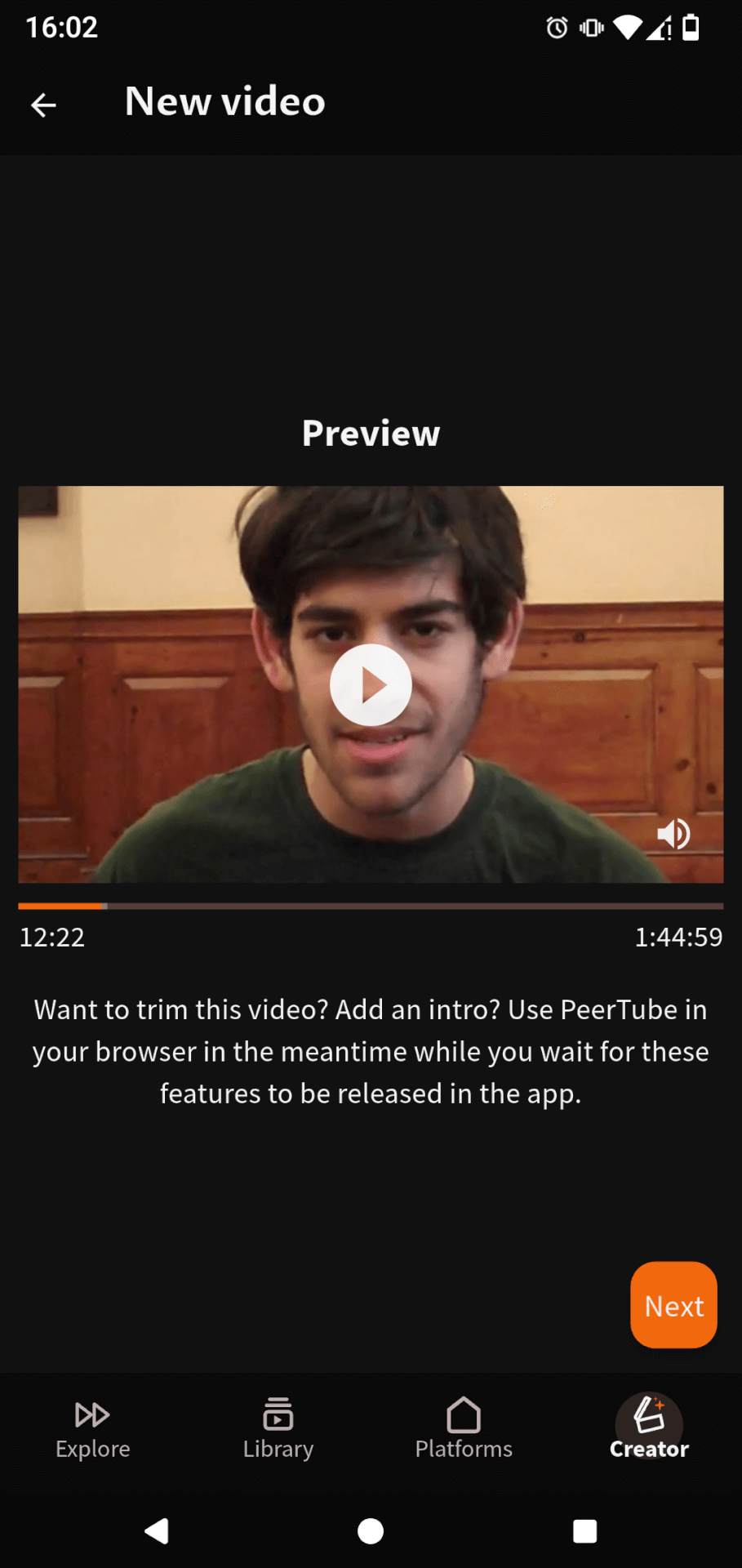
You will then receive a notification that your video is uploading in the background. While you wait, you can do something else in the PeerTube app or elsewhere on your smartphone. The upload will continue even if you are using another app !
Finally, on the last two pages, you can edit your video’s information : thumbnail, subtitles, chapters, description, etc.
As with PeerTube for the Web, the mobile app lets you enter all the necessary information !
-
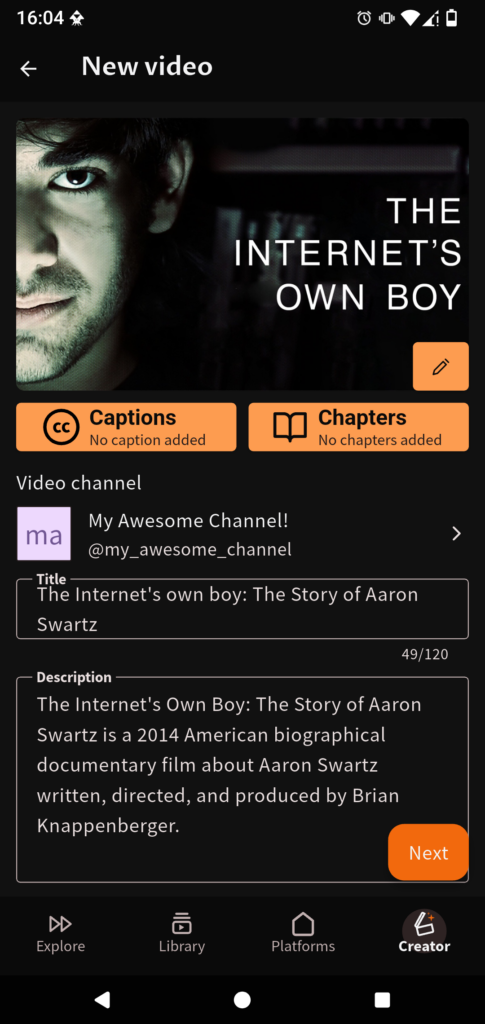
- The first screen for adding a new video.
-
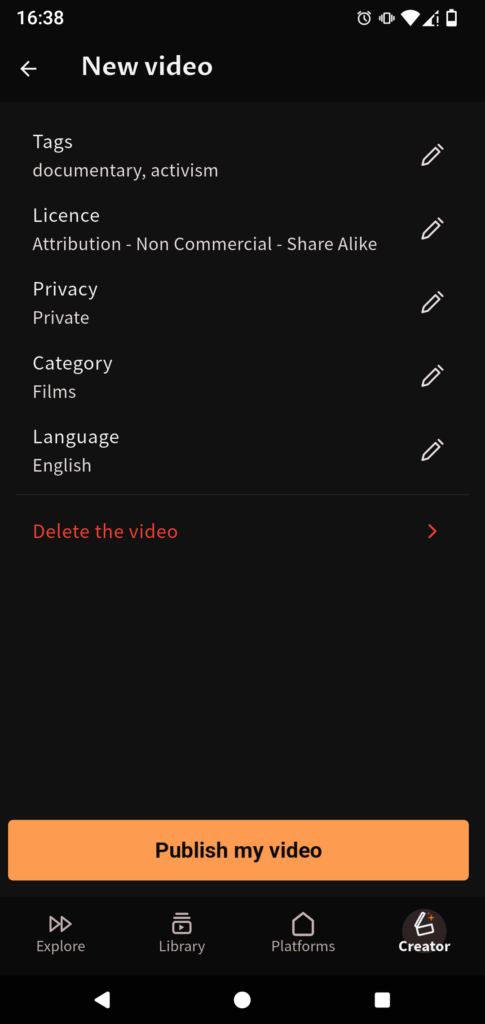
- The second screen of the “New Video” page.
After clicking on « Publish my video », you will be redirected to the « Creator » page. There, you will find your new video and the upload status, if it is not yet complete.
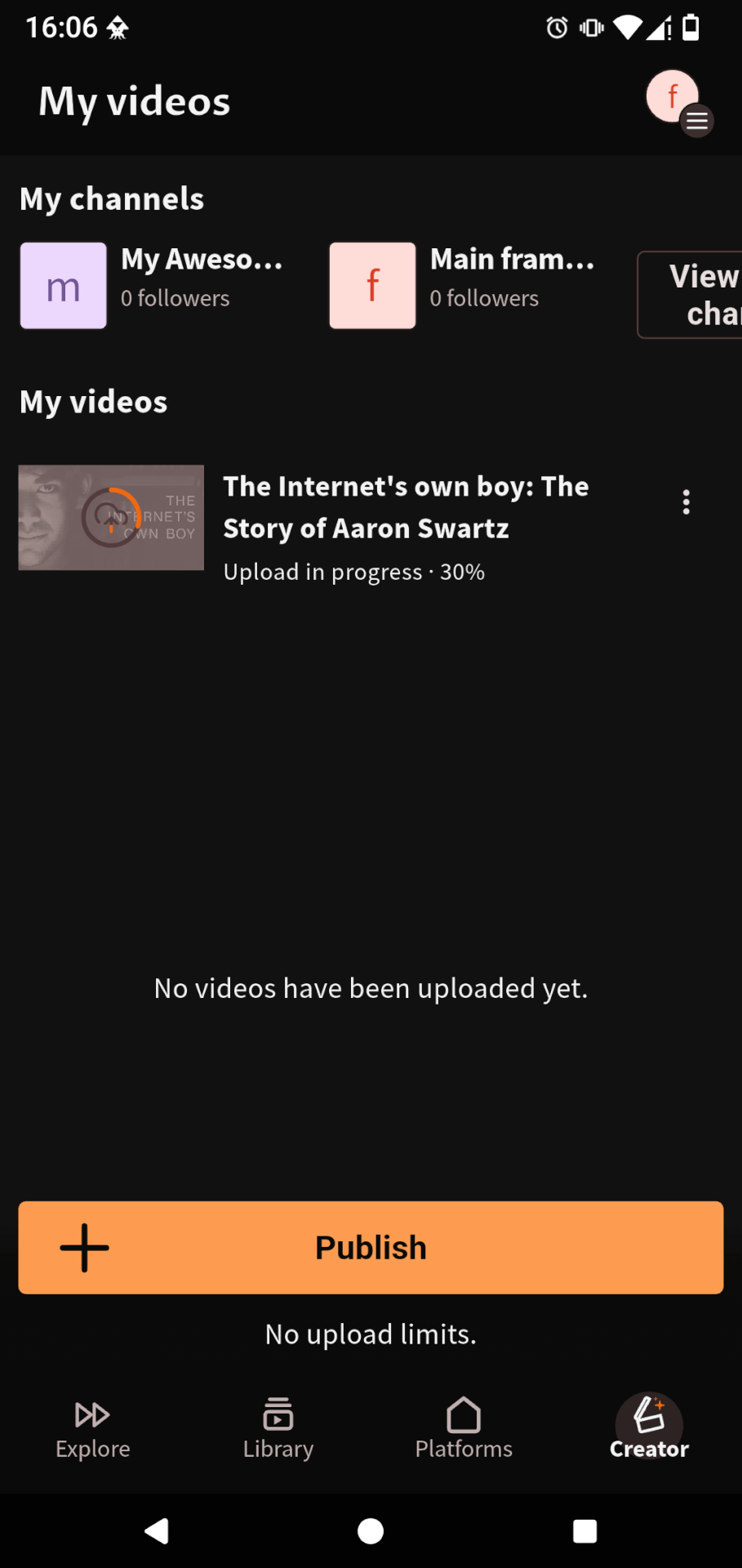
As you can see, it’s quick and easy to upload a video with the PeerTube app !
Of course, we can (and want to) improve the process even more. The paint is still wet, so we expect a few minor bugs. We will spend the next few weeks fixing them.
We also plan to add several new features. These include live streaming and the PeerTube studio, for example. There are two other major features, but they require a lot of work.
In any case, we are thrilled to finally allow you to upload your videos within the app. We look forward to continuing our work to improve your experience with PeerTube on mobile !
Download the app Support Framasoft
Last year, we announced the release of our official PeerTube mobile app. Thanks to your support and that of the NLnet Foundation, we were able to hire Wicklow, a junior developer who had just completed an internship with us, to develop the app.
From the beginning, our plan was to move forward in stages. We focused on the main building blocks first, gradually adding new features and improving the app based on community feedback.
Developing a widely accessible application for PeerTube is no easy task. Its decentralized and federated nature of the platform is difficult for many people to grasp because they are accustomed to the centralized applications of Big Tech companies.
That’s why we chose to work with La Coopérative des Internets. They designed the application to ensure its “decentralized” aspect causes minimal friction.
Thus, each new element added to the application is preceded by discussions and mock-ups created by a designer. We are delighted to have been able to integrate this process into the project !
This decentralized aspect of PeerTube not only poses a challenge in terms of user experience, but also presents a real headache when it comes to getting past the restrictions imposed by Google and Apple’s app stores. For this reason, the list of available platforms in the app was limited for several months after its launch.
Needless to say, these restrictions were as frustrating for you as they were for us. Fortunately, we were able to publish an unrestricted version on F-Droid (although publishing on F-Droid was no easy task either, for other reasons… 😅).
Wicklow shared his experience in developing the app in two articles : Part 1 and Part 2.
Despite the many difficulties encountered during this journey, the PeerTube application is making steady progress ! Since the beginning of the year, we have added the following features :
- enjoy playlists ;
- report problematic videos ;
- access your viewing history ;
- download videos (on platforms that allow it) ;
- use gestures to change the volume and brightness ;
- as well as many other diverse and varied improvements…
All these improvements were made possible thanks to your support ! Thanks to crowdfunding in May, we raised the necessary funds to continue developing the application.
However, it is also the year-round donations made to Framasoft that finance the PeerTube project as a whole and allow us to look forward to the future of PeerTube with confidence.
If you can and want to contribute to PeerTube’s robustness, consider making a donation and sharing our support page !
Download the app Support Framasoft
More to come…
Among the recent improvements to the app (including creator mode), several were part of our May commitments.
However, we haven’t delivered everything yet ! Several features are still in the pipeline and will arrive in the coming months.
These include, as mentioned above, the ability to play videos in the background (so you can turn off your screen while listening to a podcast), the ability to broadcast live directly via the app, and the release of a tablet-friendly version of the app.
PeerTube is an ambitious project.
Creating software that allows users to build alternative video platforms to those of the digital giants, centered around users (rather than the financial interests of a company), is a monumental challenge.
However, after ten years of development, more and more organizations recognize PeerTube as a reliable solution for distributing their videos.
Our solidarity-based economic model has given us a considerable advantage, allowing us to develop software we are proud of, without pleasing investors and submitting to their endless quest for quick returns.
You are our compass. Thanks to your feedback, we are developing PeerTube to best meet your needs.
The PeerTube mobile app follows the same model as the web app : we are building our vision of a digital world designed for everyone, brick by brick.
Admittedly, there is still a long way to go… but the path is Free !
Download the app Support Framasoft
Let’s build the robustness of PeerTube and Framasoft
Framasoft (and therefore PeerTube) relies on your donations for funding !
By supporting our solidarity-based model, you are not only ensuring a secure, commercial-free future for PeerTube. You are also enabling Framasoft to provide 23 alternative, free services to more than 2 million users !
To achieve this, we need to raise €250,000 by the end of the year.
Thanks to over 3,000 donors, we have already raised around €150,000 ! 🥳
Help strengthen Framasoft by making a donation (66 % of which is tax-deductible for French taxpayers) and spreading the word to your friends and family !
Together, let’s prove that a non-commercial digital world accessible to all is possible !

Download the app Support Framasoft
The illustrations were designed by David Revoy and are licensed under CC-BY 4.0.

bzzt
The Dutch locale seems to be missing?
Faculty of letters and Languages
C’était une excellente lecture, très utile.